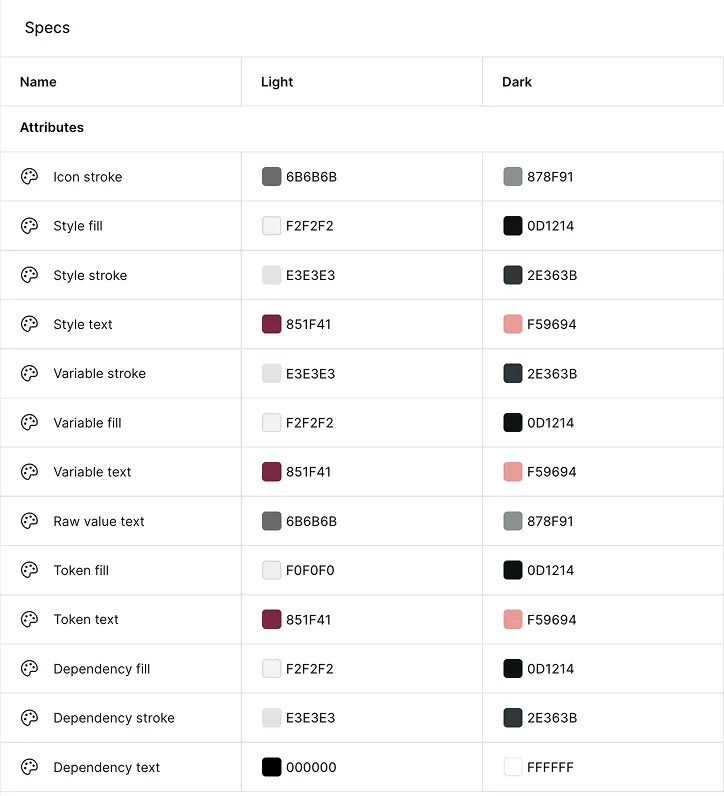
Dark Mode
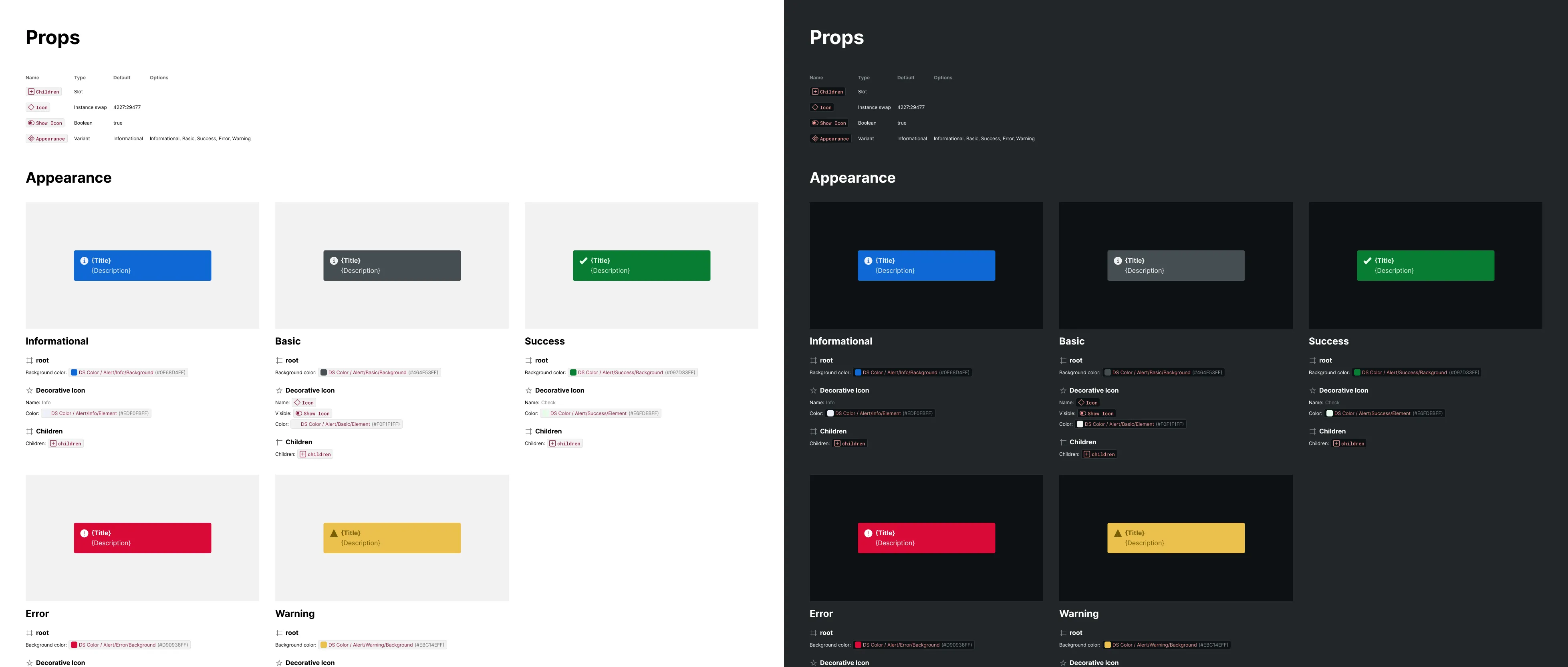
Once Color is enabled, the Specs variable collection carries both a Light and a Dark value for every color. Dark Mode is the act of switching which mode is active — at the whole-page level, a single Specification, or one artwork frame at a time — using Figma’s own mode switcher, with no need to regenerate anything.
How It Works
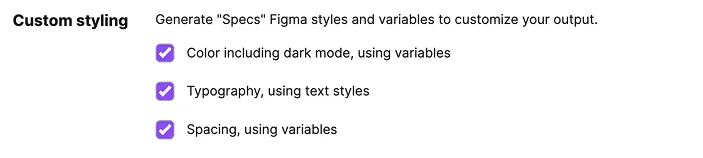
Dark Mode has no checkbox of its own — it’s based on Color. Open the plugin’s Settings tab and check “Color including dark mode, using variables” under Custom Styling; that single setting generates the Specs collection and gives it a Dark mode to toggle.
What It Includes
- Page-level mode — sets the default mode for every spec on the current page
- Specification-level mode — overrides the page default for one Specifications frame or a single spec frame
- Artwork-level mode — overrides the mode for just an artwork frame, independent of the spec around it
- Live switching — plugin-generated elements (markers, annotations, backgrounds) recolor immediately; a component’s own artwork is unaffected, since its fills are the design’s, not the spec’s
Toggling the Mode
To switch a spec’s appearance, select it — the page (with nothing else selected), a Specifications frame, an individual spec frame, or just an artwork frame — and set the Specs collection’s mode from the Mode control in the Design panel. Nothing needs to be regenerated; every plugin-generated element bound to the collection recolors immediately.
Customizing Dark Values
Each variable in the Specs collection carries its Light and Dark values independently, and both are editable directly in Figma’s Variables panel — so if the default Dark palette doesn’t fit your file, adjust it once and every future spec inherits the change.